Instructions to use sd-concepts-library/web-icons-v1 with libraries, inference providers, notebooks, and local apps. Follow these links to get started.
- Libraries
- Diffusers
How to use sd-concepts-library/web-icons-v1 with Diffusers:
pip install -U diffusers transformers accelerate
import torch from diffusers import DiffusionPipeline # switch to "mps" for apple devices pipe = DiffusionPipeline.from_pretrained("sd-concepts-library/web-icons-v1", dtype=torch.bfloat16, device_map="cuda") prompt = "Astronaut in a jungle, cold color palette, muted colors, detailed, 8k" image = pipe(prompt).images[0] - Notebooks
- Google Colab
- Kaggle
- Local Apps
- Draw Things
- DiffusionBee
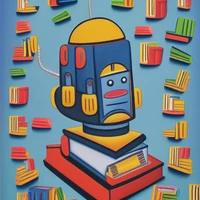
web_icons_v1 on Stable Diffusion
This is the <outline-icon> concept taught to Stable Diffusion via Textual Inversion. You can load this concept into the Stable Conceptualizer notebook. You can also train your own concepts and load them into the concept libraries using this notebook.
- Downloads last month
- 5
Model tree for sd-concepts-library/web-icons-v1
Base model
proximasanfinetuning/fantassified_icons_v2